


Job Costing

NEW: JOB COSTING
Stop losing money on jobs you think are profitable.
Revenue is only half the story. RazorSync Job Costing shows your cost, profit, and margin on every work order, quote, and invoice, right inside the platform you already use every day.
Same job. Same cost. Three very different outcomes.
Same cost to deliver every time. Watch what the price does to your profit.

Running at a loss.
Priced too low, the job costs more than it earns.
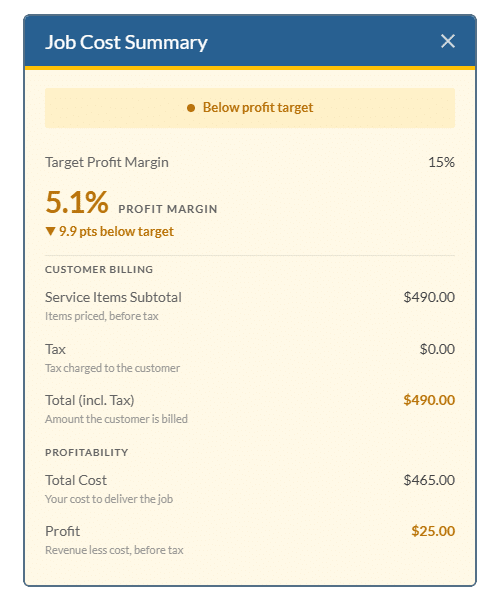
Below target.
It makes money, but less than your profit target.

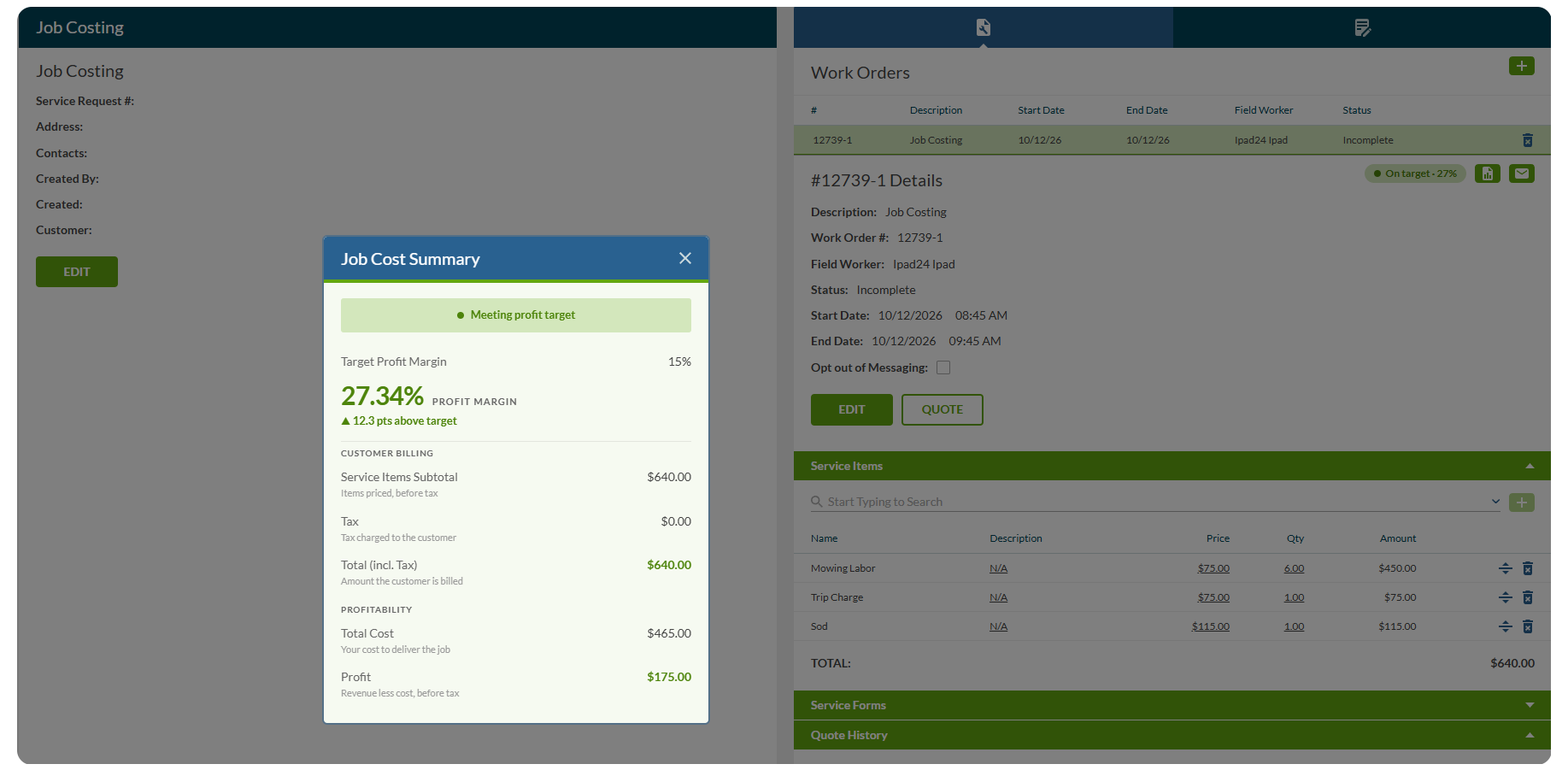
Meeting target.
Priced right, the job hits your margin.
Profit on every work order, quote, and invoice.
See revenue, cost, tax, and profit for each job on one screen.

Set base costs on your service items.
Add what each item costs you once. RazorSync uses it every time that item goes on a job.

Set a company profit target.
Every job is measured against it: on target, below target, or running at a loss.
No separate accounting or reporting tool.
Job costing lives where your team already schedules, dispatches, and invoices.
How it works

Add your costs.
Set a base cost on the service items you sell.

Set your target.
Choose your company’s default profit margin.

See every job’s profit.
Margins show up on work orders, quotes, and invoices.
FAQ
What is job costing?
Where do I see it in RazorSync?
How is margin calculated?
Can I set a profit target?
Do I need a separate accounting tool?
See your profit on every job.
Get a 15-minute walkthrough of Job Costing with our team.